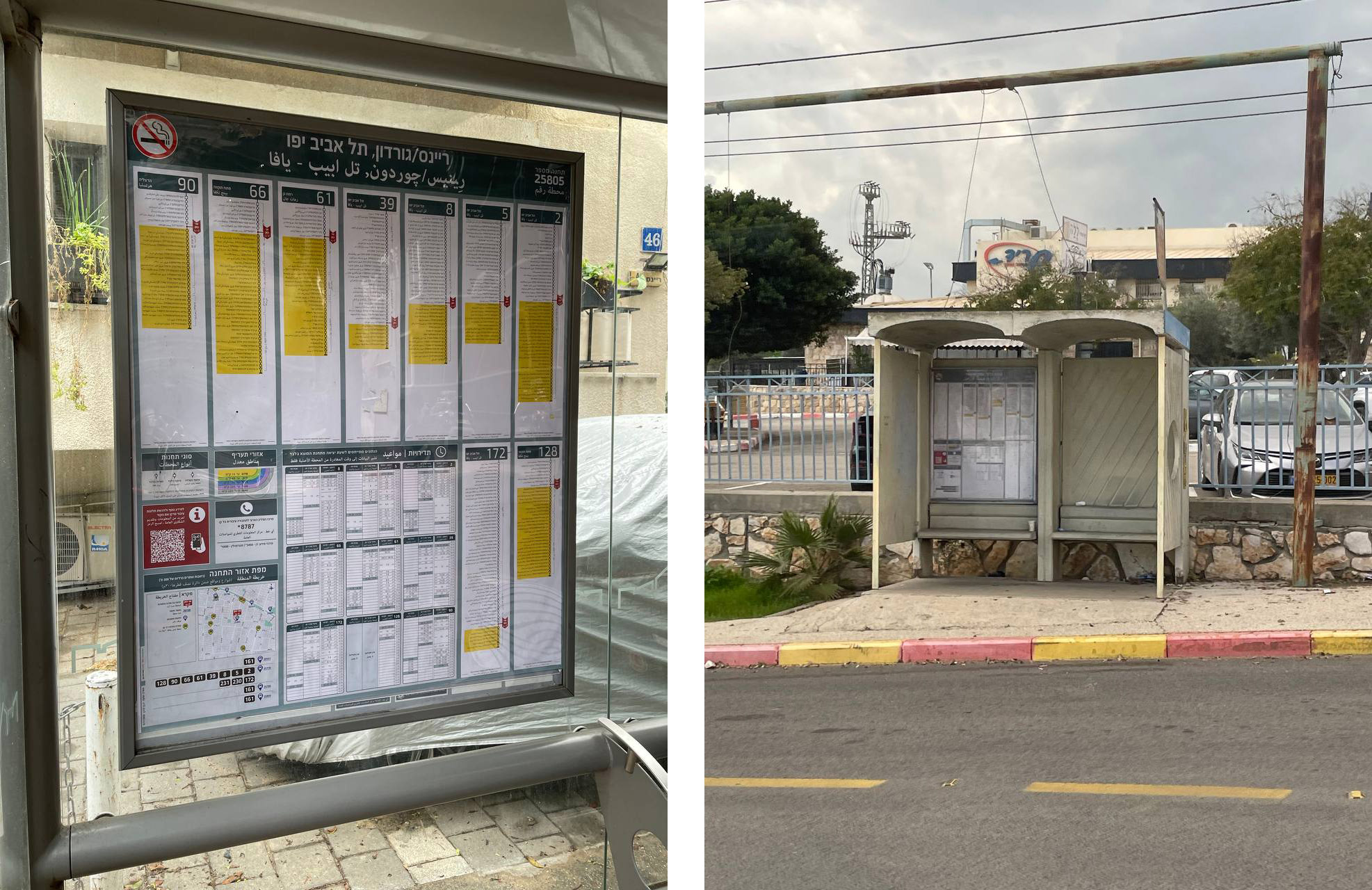
Israeli Public Transport Stop Poster PDF-Generator
The generator creates a PDF file of the official public transport stop poster in just 2 seconds with
The poster is completely print-ready: CMYK colors, crop margins, and all necessary
Generate +30k print-ready layouts from a single source design — fully automated, no designers
Design
Design guide
All layout elements comply with the 60-page design guide from Israel's Ministry of Transport. The guide specifies all possible dimensions, colors, fonts, and permitted deviations.




2 layout schemes
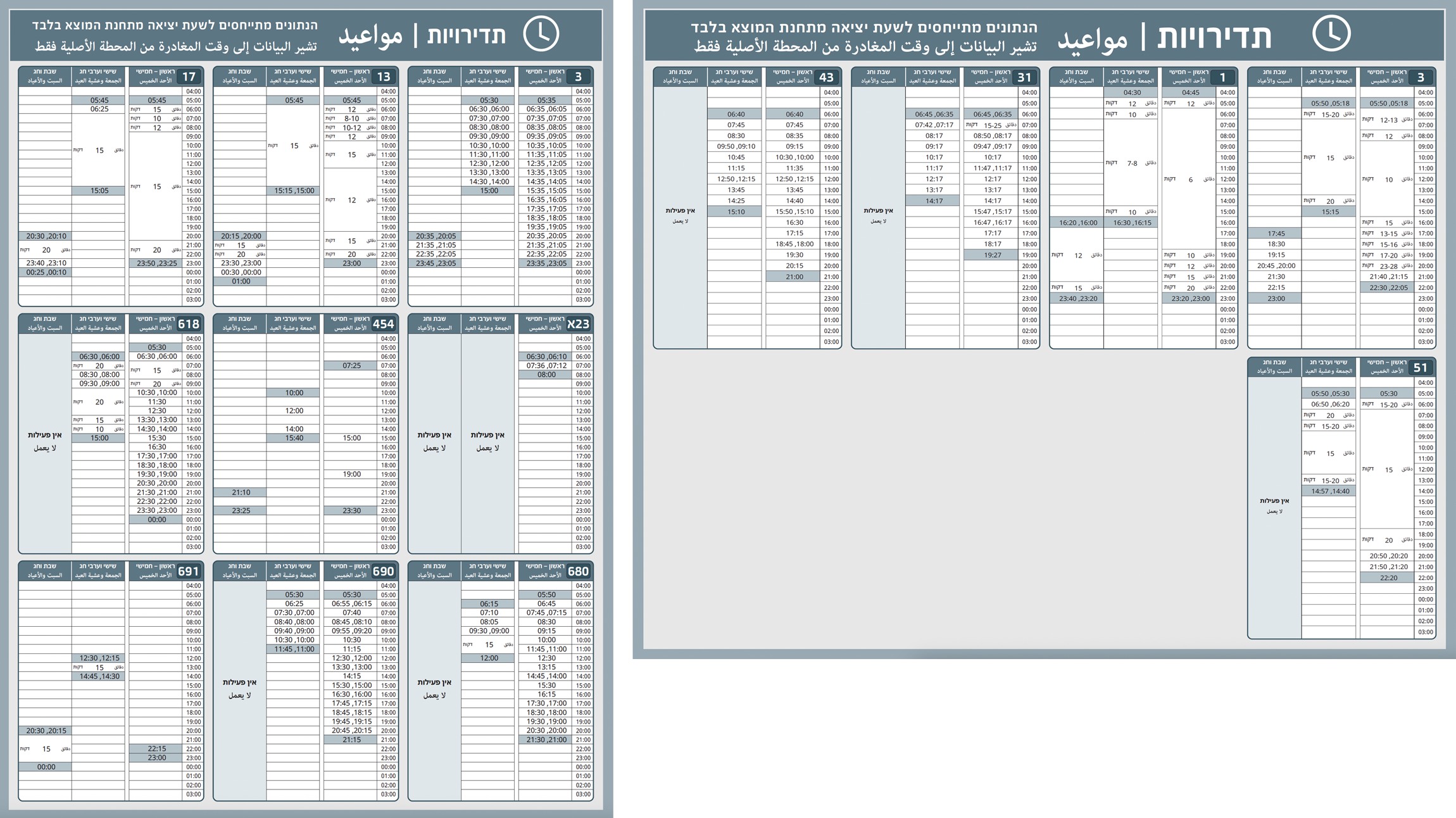
Depending on the number of routes, the generator creates either a narrow or wide layout. Depending on the template chosen, the poster elements are rearranged, changing the placement and size of the components.
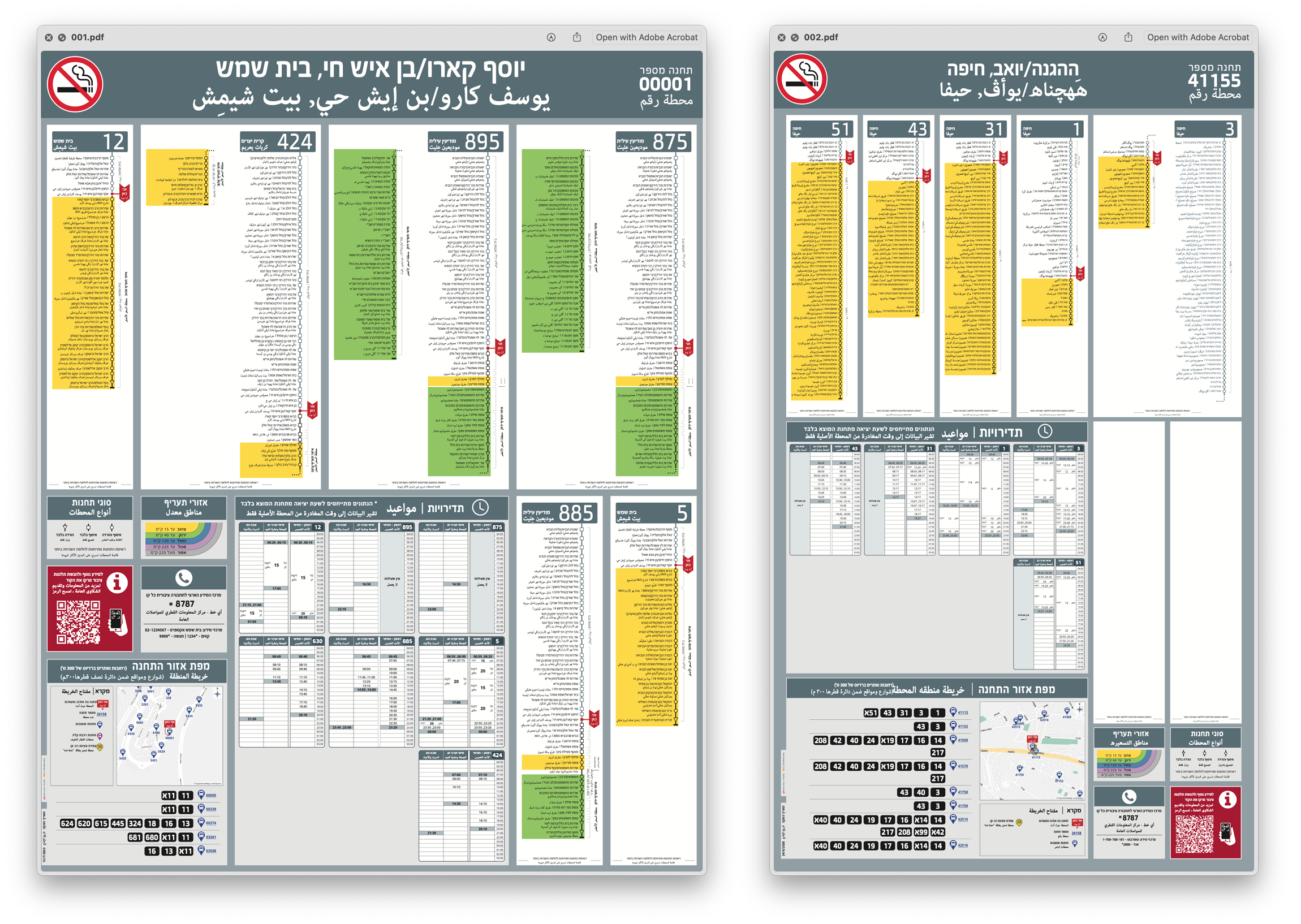
When calculating the layout width, long schedules are taken into account and split into two columns.
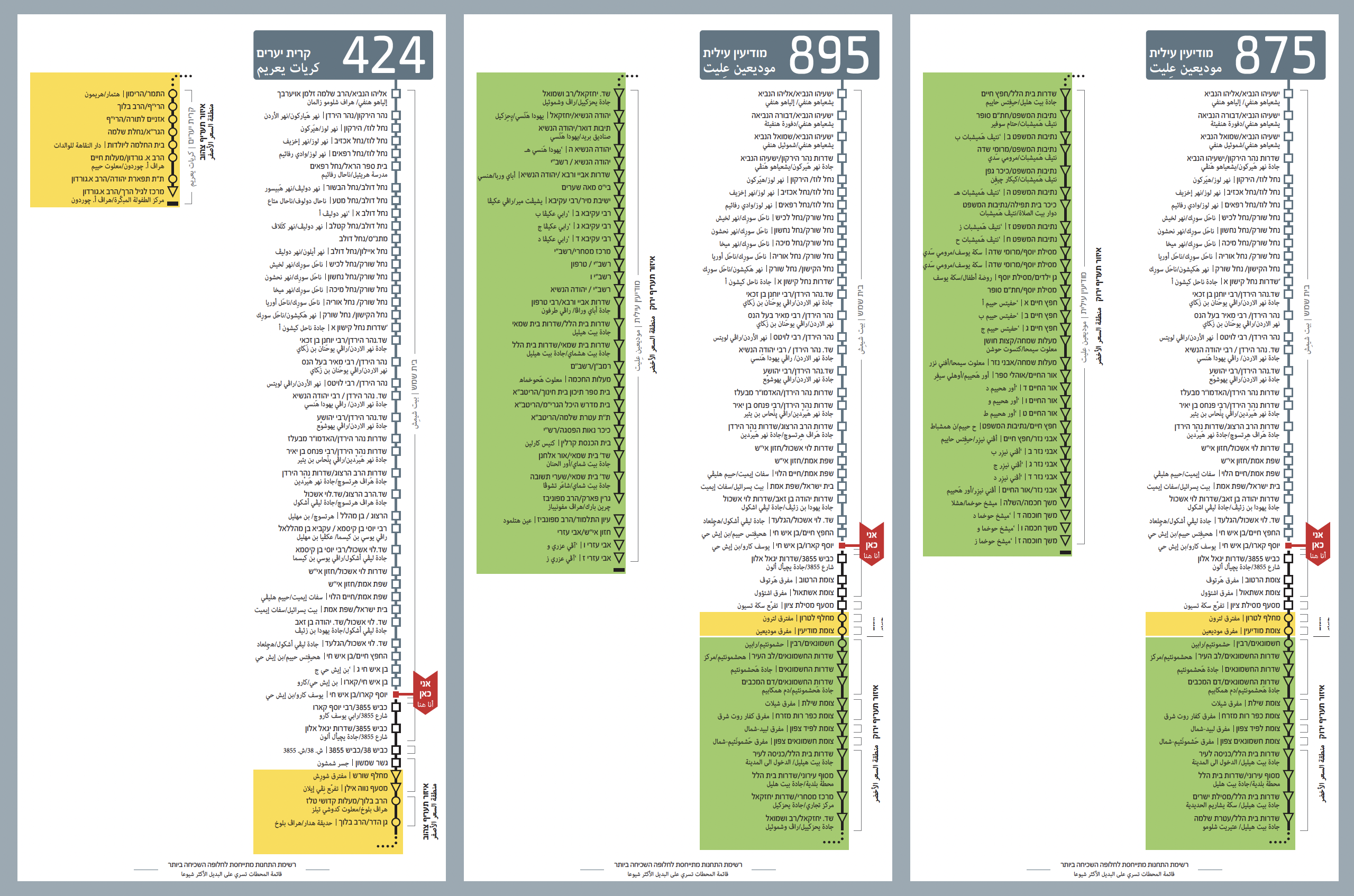
2 languages: Hebrew and Arabic
All headers and texts are written in both languages.
The generator correctly handles right-to-left writing. If Latin words appear in the text, they are rendered left-to-right using a separate font.
What the generator does
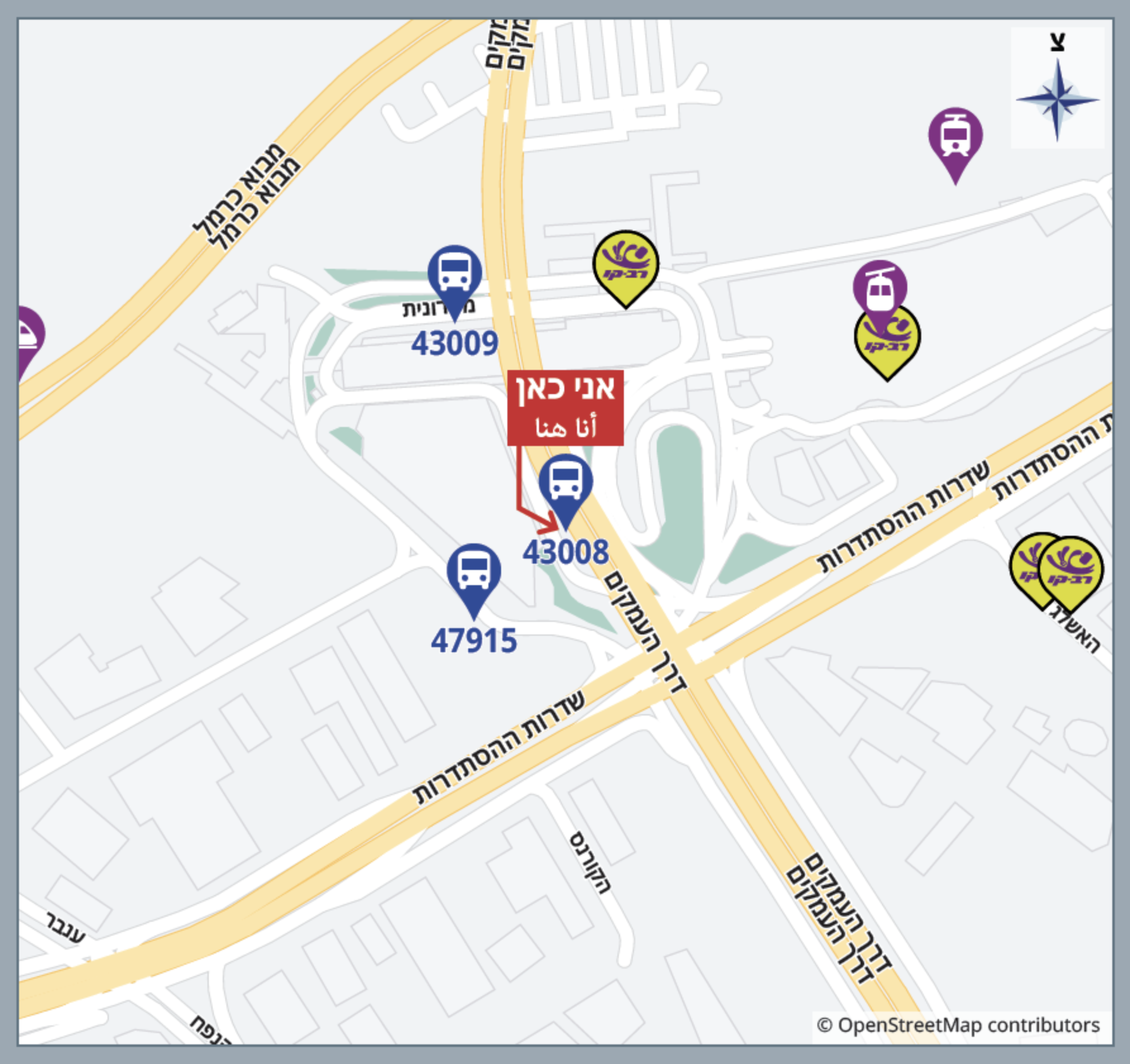
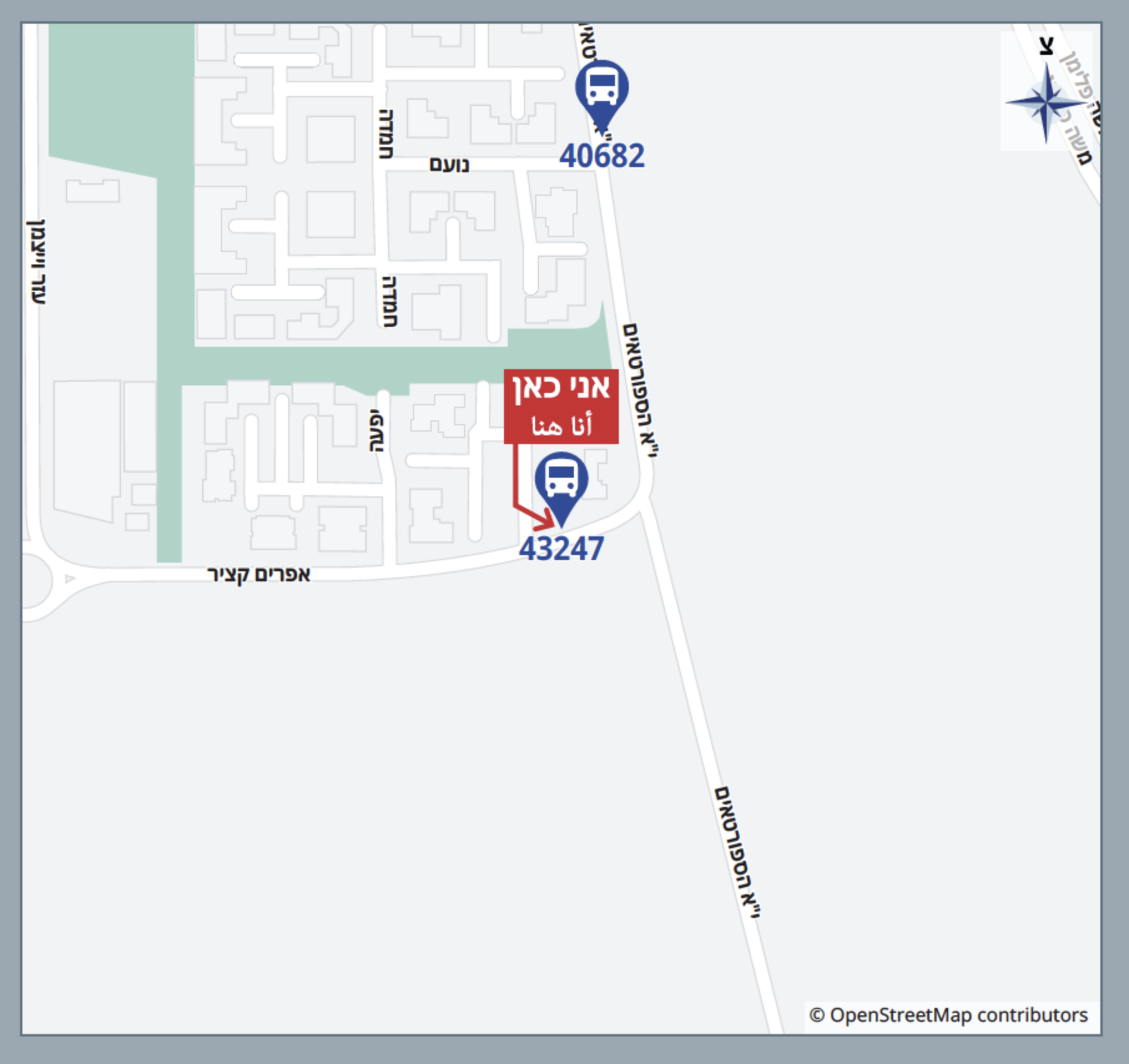
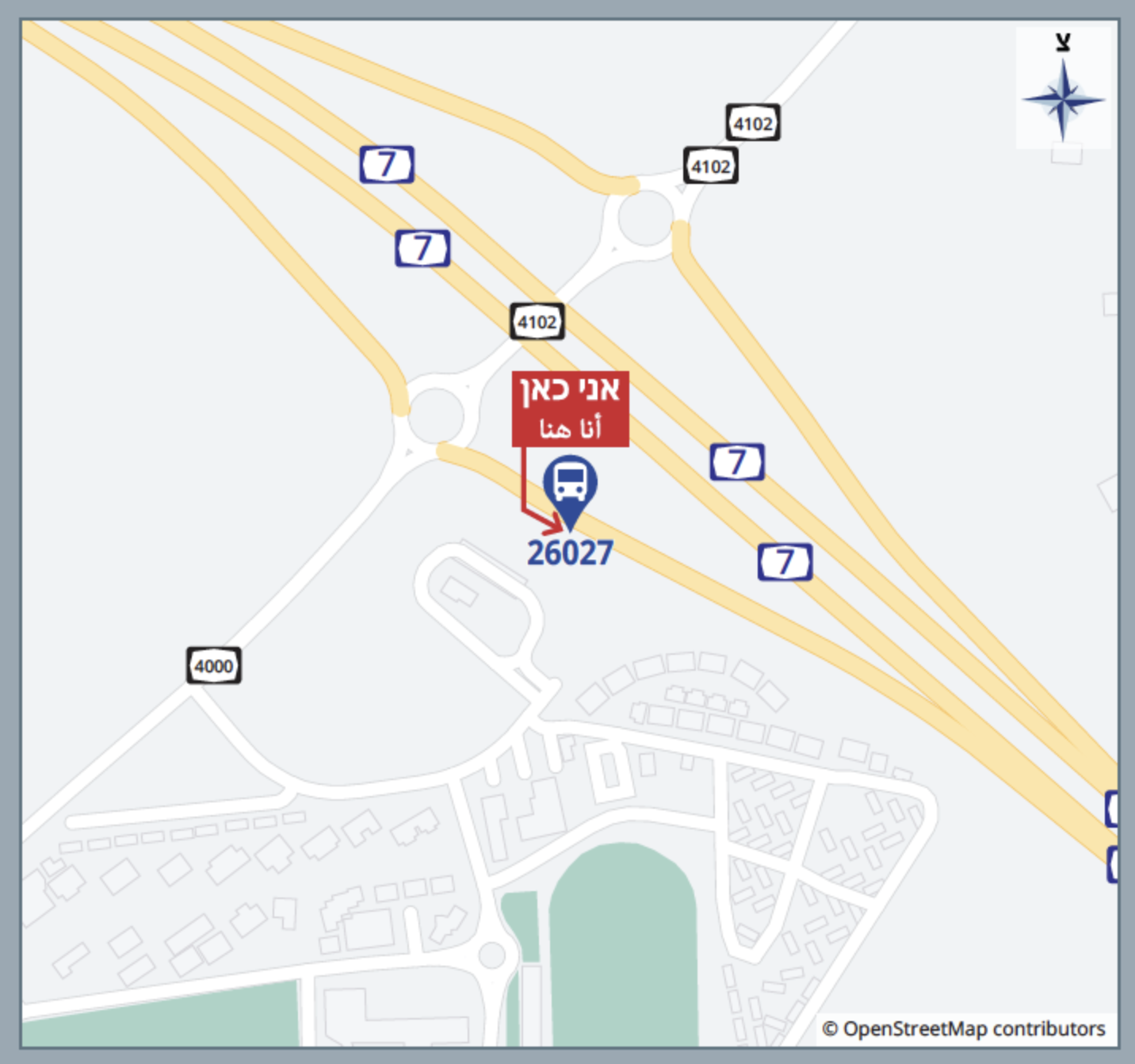
Neighborhood map with nearby stops and service markers
The generator creates a neighborhood map and places markers for relevant services, such as bus stops, ticket offices, and cable cars, on it. Routes to and from all nearby stops are listed.
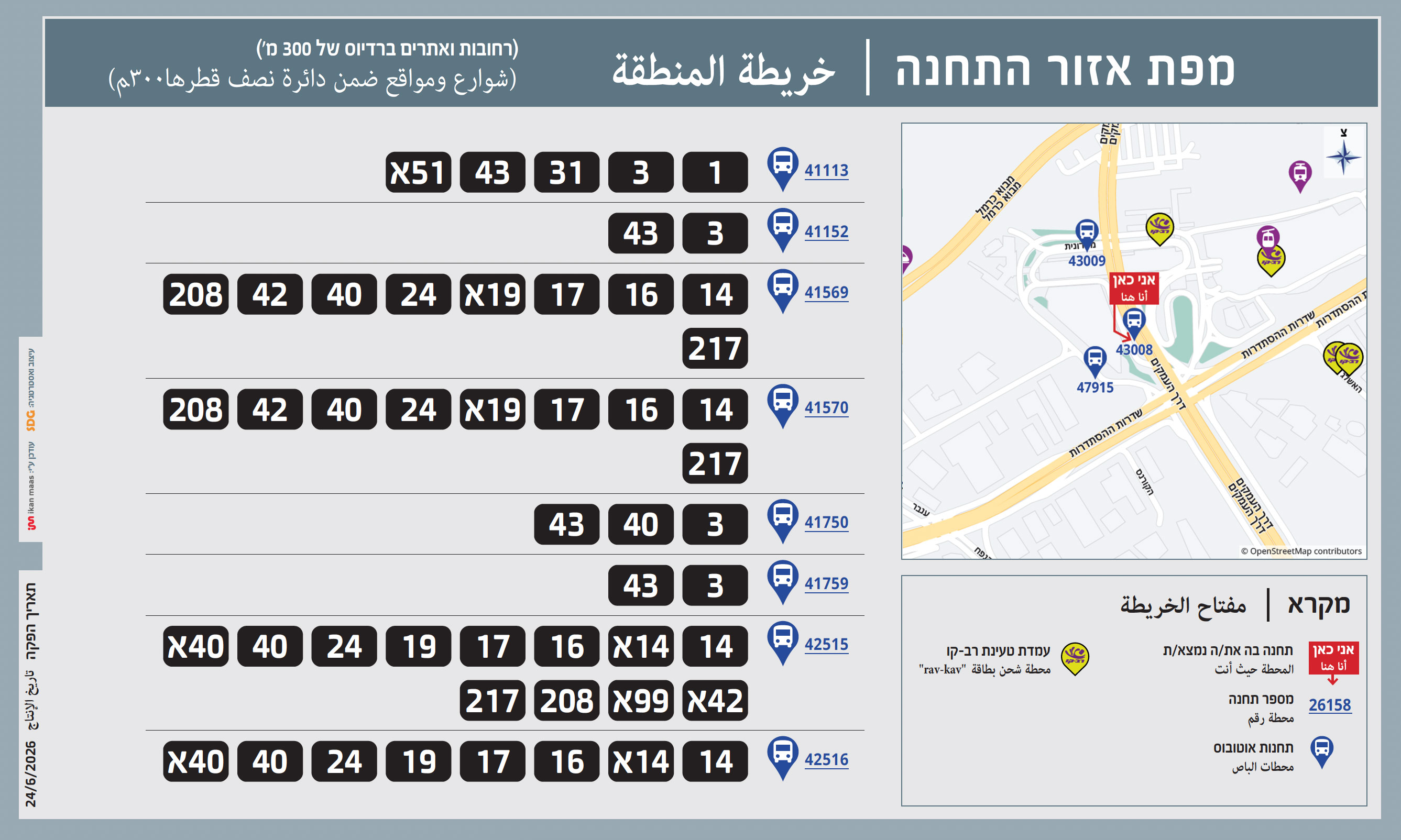
The generator takes data from the OSM server in real time and draws only the necessary objects: roads of different classes, administrative and municipal buildings, water bodies, and green spaces.
The generator adds street names, ensuring that they do not overlap. Some highways and secondary roads are unnamed. In these cases, the generator draws the official road number according to its class.
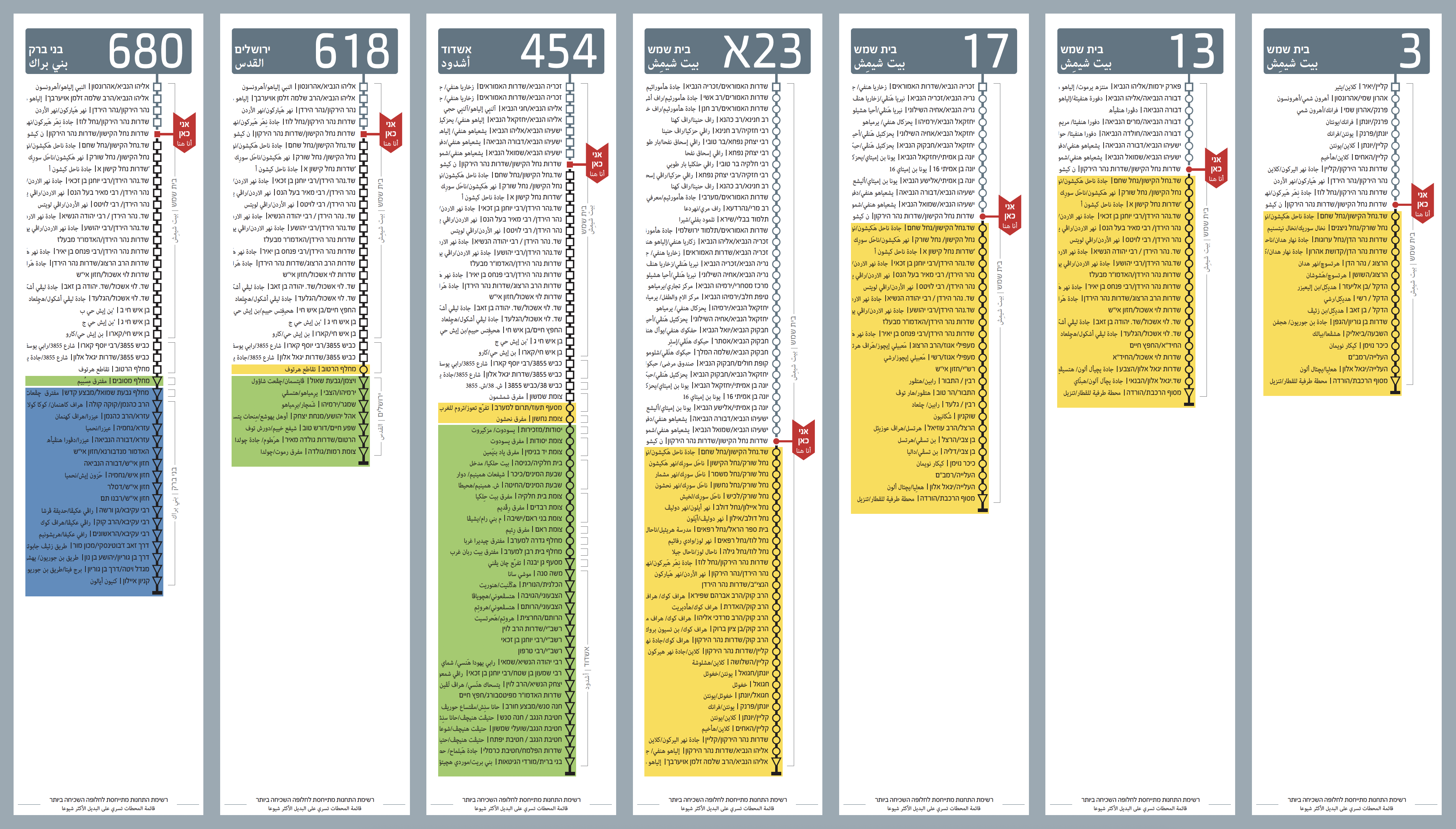
Line diagrams with neighborhoods and fare zones
All stops are divided into several groups: price zones are color-coded, city districts are marked with lines and symbols for stops on demand or final destinations.
The current stop is marked with a flag. The generator analyzes all dimensions and prevents flags from intersecting with other schedule elements: the text is either shifted or hidden.
Schedule in minutes
Below the linear map is a minute-by-minute schedule for all routes. The table generates data for weekdays and weekends. The data is presented in intervals, with precise hour and minute values depending on traffic intensity.
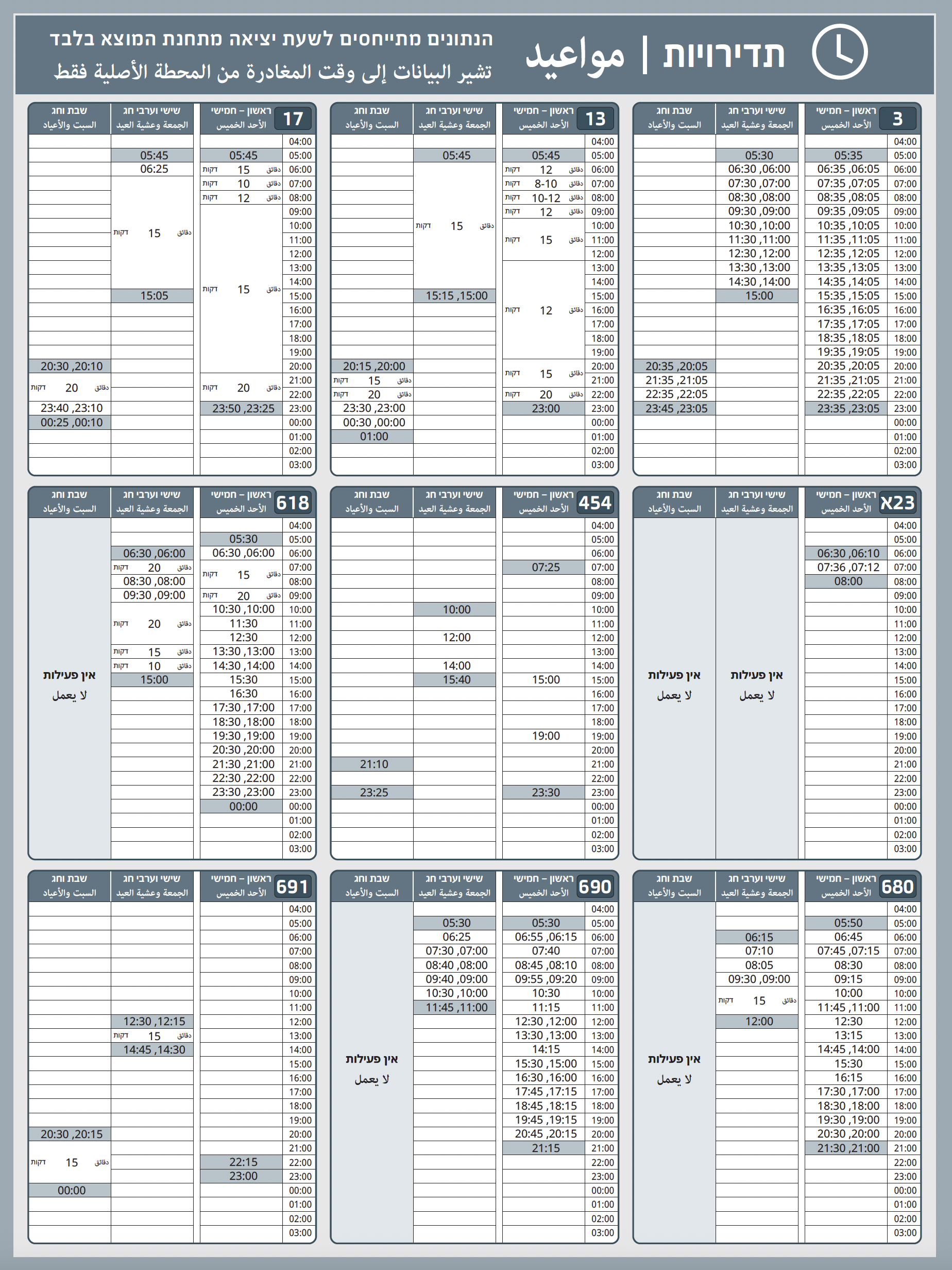
Minute schedules are arranged differently for narrow and wide layouts.
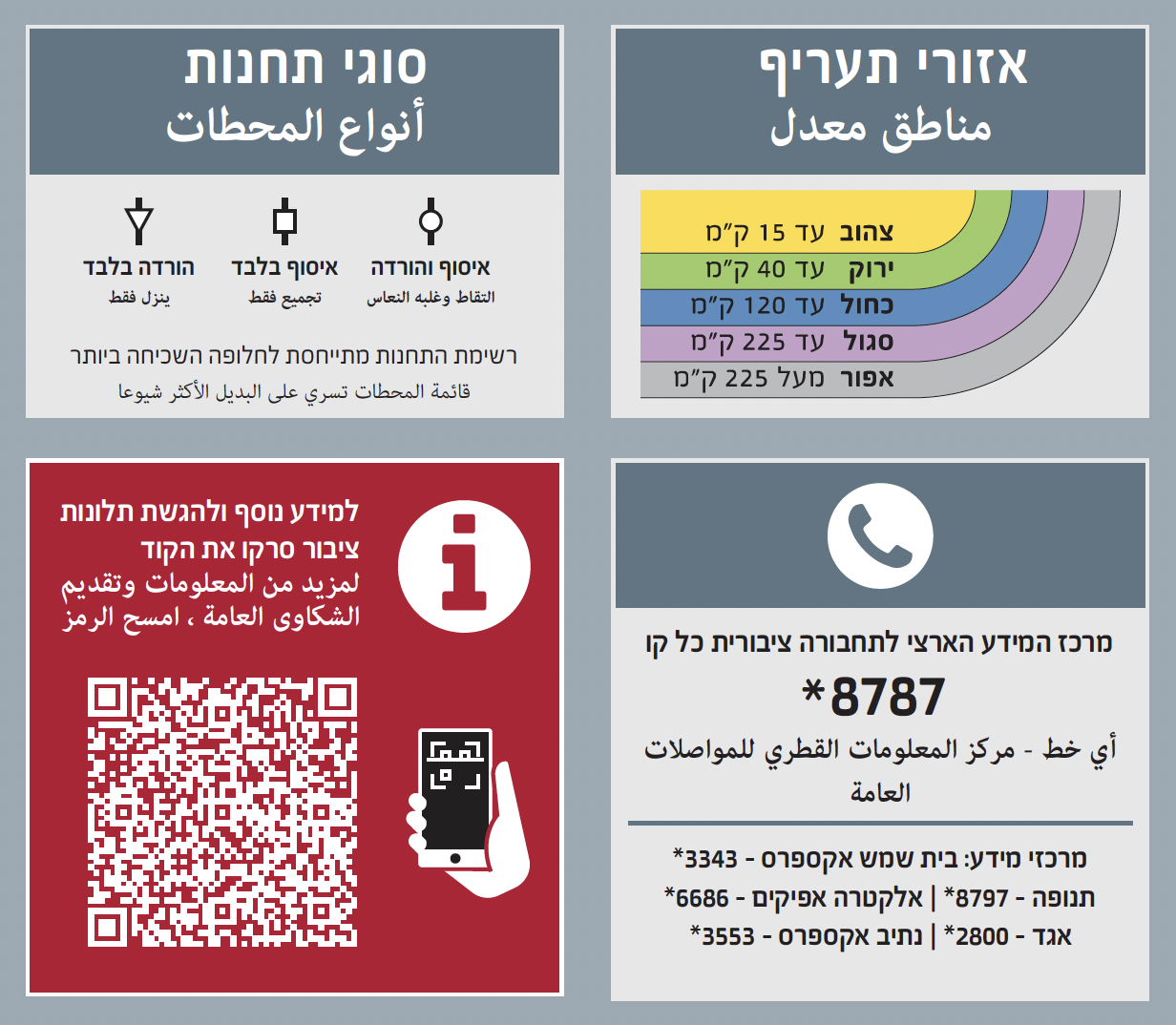
Bus stop QR code with information
A unique QR code is generated at each stop. Information about prices, contact information, and symbols is also permanently posted.
How it works
PDF Server
To generate a poster, a huge (approximately 5,000 lines) bilingual JSON file containing all the schedules is transferred to the PDF server. The geolocation of the stop is also transferred so that the generator can obtain a map of the area.
Mass Production and Stability
The PDF server can generate hundreds or thousands of layouts in a single request, depending on the server's capacity.
The entire layout generation process is divided into independent parts that validate the data before generation and the result after. Like a web server, the PDF server returns errors if the input data is invalid or if the layouts are overflowing with data. The generation results for all parts of each poster are saved for analysis of possible errors.
Templates and Configuration
All parameters of both templates are stored in special JSON data: margins, font sizes, styles, indents,
All mockups presented on this page are not real and are provided solely to demonstrate the generation capabilities.
However, the photographs on the bus stops with posters are real.